Repurpose One Blog Post into Many with AI
The Solo Creator’s Superpower: AI Content Repurposing
Running multiple AI-automated content businesses here in Seoul has taught me one crucial lesson: efficiency isn’t just nice to have, it’s non-negotiable. As a solo entrepreneur, my time is my most valuable asset. That’s why I’ve honed a workflow that turns a single, well-researched blog post into ten or more distinct pieces of content, all powered by AI. This isn’t about cutting corners; it’s about amplifying your message and reaching wider audiences without burning out. It’s the closest thing I’ve found to a content multiplier.
The problem we all face is the constant demand for fresh content across platforms. Writing a killer blog post takes hours, sometimes days. To then create a YouTube video, a LinkedIn carousel, a series of tweets, and an email newsletter all from scratch? It’s simply unsustainable for one person. My solution, which I’ll share with you today, leverages powerful AI tools to intelligently repurpose your core content, maximizing its reach and return on your effort.

My Workflow: Turning a Blog Post into a Content Ecosystem with AI
My entire repurposing process begins with a solid, evergreen blog post – typically one that addresses a key problem for my audience or offers a deep-dive solution. I usually draft these in Notion, where they serve as the central ‘source of truth’ for all subsequent content.
Phase 1: Text-Based Expansion & Adaptation
This is where the magic of Large Language Models (LLMs) truly shines. I use tools like ChatGPT, Claude, and Gemini interchangeably, depending on the specific task and the nuance I’m looking for.
1. Social Media Posts (X, LinkedIn, Facebook, Instagram Captions)
- The Goal: Break down the blog post into bite-sized, platform-specific messages.
- How I Do It: I’ll feed my blog post into an LLM with prompts like: “Act as a social media strategist. Extract 5 key takeaways from this blog post and draft 3 unique posts for X (formerly Twitter) focusing on different angles, each under 280 characters with relevant hashtags.” I’ll then repeat for LinkedIn (more professional, detailed), and Instagram (attention-grabbing hook with a strong call to action).
- AI Tools: ChatGPT, Claude, Gemini. These platforms usually offer free tiers for basic usage, with paid plans typically starting in the low to mid-range monthly fees. Always check their official pricing pages for the most current details, as plans change often.
- My Tip: Don’t just copy-paste. Ask the AI to adopt different tones – instructional, thought-provoking, conversational – for each platform. The mistake I made early on was using a generic tone everywhere; tailoring it is crucial for engagement.
2. Email Newsletter Snippets
- The Goal: Entice subscribers to read the full blog post or offer standalone value.
- How I Do It: I ask the LLM to “Summarize the core argument of this blog post in 100 words for an email newsletter, including a compelling hook and a clear call to action to read the full article.” I also generate 2-3 shorter tips or bullet points from the post that can stand alone as quick value adds in subsequent emails, linking back to the original if appropriate.
- AI Tools: ChatGPT, Claude, Gemini.
- My Tip: Focus on scarcity or immediate benefit in your email hooks. Make it irresistible.
3. Short-Form Blog Updates / Related Articles
- The Goal: Expand on a specific sub-point from the main post or create a follow-up.
- How I Do It: If my main post covers ’10 AI Tools for Content Repurposing,’ I might ask the AI to “Write a 500-word deep-dive on Tool X, expanding on its specific features for [related task] as mentioned in this blog post.” This creates quick, related content that can target long-tail keywords and improve internal linking.
- AI Tools: ChatGPT, Claude, Gemini.
- My Tip: This is excellent for covering specific user questions that your main post only briefly touched upon.
Phase 2: Audio & Visual Transformation
This phase often involves a blend of LLMs for scripting and specialized AI tools for media generation.
4. Podcast Snippet / Audio Explainer
- The Goal: Create an audio version of a key insight or a short explainer.
- How I Do It: I’ll prompt an LLM: “Draft a 2-minute podcast script based on the introduction and conclusion of this blog post, designed to hook listeners and explain the core concept.” Once I have the script, I either record it myself (for my personal brand channels) or use ElevenLabs to generate a realistic voiceover.
- AI Tools: ChatGPT, Claude, Gemini (for script), ElevenLabs (for voiceover).
- My Tip: Even if you don’t run a full podcast, these snippets are great for audio social media content or embedding in blog posts. ElevenLabs has a free tier for basic usage, with paid plans offering more advanced voices and longer generation times. Always check their official pricing page for current details.
5. Infographic / Visual Summaries
- The Goal: Distill complex information into easily digestible visuals.
- How I Do It: I ask an LLM to “Extract the 7 most important statistics or data points from this blog post, along with a concise one-sentence explanation for each.” With these points, I head over to Canva. I use their templates and integrate images generated by Midjourney (for unique, stylized visuals) or stock photos.
- AI Tools: ChatGPT, Claude, Gemini (for data extraction), Canva (for design), Midjourney (for unique images).
- My Tip: Midjourney is a powerful tool for generating bespoke images that stand out from generic stock photos. It’s a paid service, and its plans vary, so always check their site for the latest pricing. Canva has a generous free tier, and their Pro plan adds a ton of useful features; prices are in a reasonable monthly range.
6. YouTube Short / TikTok Script & Video
- The Goal: Create engaging short-form video content to drive traffic and build audience.
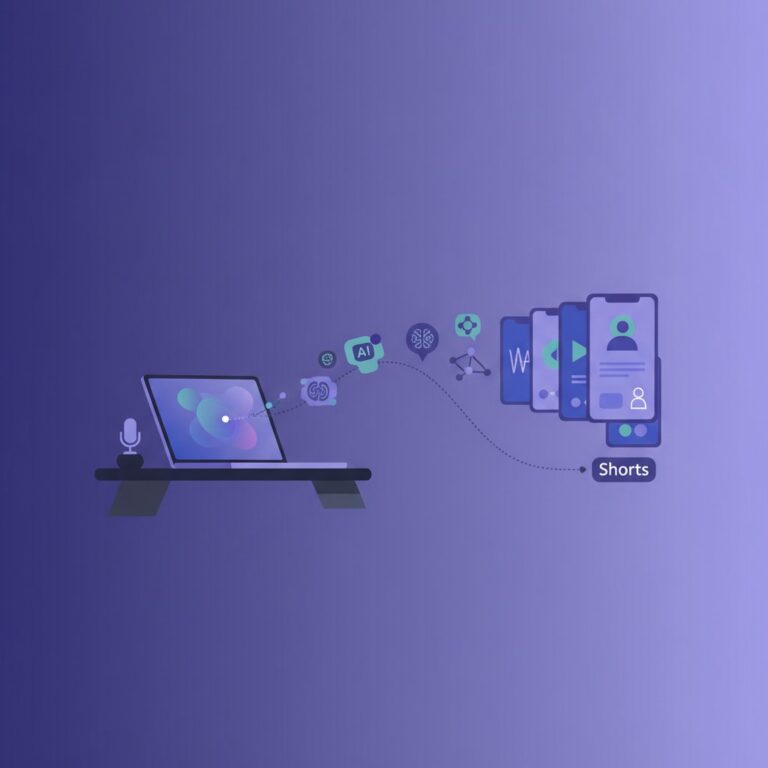
- How I Do It: I’ll give an LLM a prompt like: “Draft a 60-second YouTube Short script for this blog post. Focus on a ‘hook, problem, solution, call to action’ structure. Include visual suggestions.” I then take this script, record myself, or use ElevenLabs for a voiceover if it’s an ‘explainer’ style video without me on camera. I edit everything in CapCut, which is free and incredibly user-friendly, especially for short-form content.
- AI Tools: ChatGPT, Claude, Gemini (for script), ElevenLabs (for voiceover), CapCut (for editing).
- My Tip: CapCut is a game-changer for solo creators. It’s free on desktop and mobile and has surprisingly powerful features for quick edits. Focus on dynamic visuals and quick cuts for short-form video.
7. LinkedIn / Instagram Carousel Posts
- The Goal: Share information in an engaging, swipeable format.
- How I Do It: Similar to infographics, I ask an LLM to “Break down the 5 key steps/insights from this blog post, providing a catchy title and 2-3 bullet points for each slide of a carousel post.” I then design these in Canva, again using Midjourney for unique cover art or eye-catching imagery on individual slides.
- AI Tools: ChatGPT, Claude, Gemini (for content breakdown), Canva (for design), Midjourney (for imagery).
- My Tip: Make sure each slide can stand alone but also flows into the next. Use strong visuals and minimal text per slide.
Phase 3: The Automation Layer (Connecting Everything)
This is where the ‘AI-automated’ part of my business truly comes alive. Manual repurposing is still work; automated repurposing is smart work.
8. Automated Social Media Scheduling
- The Goal: Ensure consistent content delivery without manual posting.
- How I Do It: Once my social media posts are drafted (and human-reviewed!), I use automation tools like Zapier, Make, or n8n. My typical flow involves: New blog post published in WordPress → Trigger in Zapier/Make → Take pre-generated social media content (stored in Notion or a Google Sheet) → Schedule posts via a social media management tool (e.g., Buffer, Hootsuite).
- AI Tools: Zapier, Make, n8n (for automation).
- My Tip: Start simple. Automate one platform first. Zapier and Make both have free tiers to get started, with paid plans increasing task limits and features. n8n offers a self-hosted option which can be very cost-effective for technical users. Always check their respective pricing pages.
9. Blog Post to YouTube Description & Tags
- The Goal: Optimize YouTube content for discoverability.
- How I Do It: I’ll use an LLM to “Generate a concise, keyword-rich YouTube description (under 5000 characters) and a list of 10 relevant tags for a video based on this blog post.” I also ask for 3-5 timestamp ideas to help viewers navigate longer videos.
- AI Tools: ChatGPT, Claude, Gemini.
- My Tip: Always proofread and human-optimize the tags. AI is great for brainstorming, but your understanding of audience intent is paramount.
10. Automated Internal Linking Suggestions
- The Goal: Improve SEO and user experience on my WordPress blogs.
- How I Do It: This is a slightly more advanced automation. When a new post goes live on WordPress, I can trigger a webhook. This webhook sends the post content to an LLM via an API (using Make or n8n). The LLM is prompted to “Analyze this new blog post and suggest 3-5 existing articles on my site (provide a list of URLs/titles) that would be relevant for internal linking, along with specific anchor text suggestions.” While the linking itself is still manual (for quality control), the suggestions save a ton of time.
- AI Tools: ChatGPT, Claude, Gemini (via API), Make, n8n (for automation), WordPress.
- My Tip: This requires some API setup, but the payoff in saved time for SEO optimization is huge.

My Take: It’s About Leverage, Not Laziness
Look, I’m not going to tell you this is a ‘set it and forget it’ system. That’s pure hype, and frankly, it doesn’t build trust or quality. What I *can* tell you is that this AI-powered repurposing blueprint is the single most effective way I’ve found to maximize the output of a solo content creator.
The biggest limitation, and something I honestly underestimated early on, is the need for a human editor. AI is phenomenal at drafting, summarizing, and suggesting, but it lacks true discernment and creativity. Every single piece of content, especially visuals and audio, needs a human eye and ear for quality control, brand voice consistency, and fine-tuning.
Is it a ‘game-changer’? I avoid that phrase because real change comes from consistent effort and smart strategy. But does it give you an unfair advantage as a solo entrepreneur against larger teams? Absolutely. It allows me to publish consistently across platforms, maintain authority, and grow my audience without needing a massive team. The initial setup takes effort – defining your prompts, setting up your automation flows – but once it’s humming, it’s incredibly powerful. Just remember to always bring your unique human touch to the final product.
FAQ: Content Repurposing with AI
What kind of blog posts are best for repurposing?
In my experience, evergreen content performs best. Think ‘how-to’ guides, ultimate lists, foundational explainers, or problem/solution posts. These topics remain relevant for a long time, meaning your repurposed content will also have a longer shelf life. High-performing content (articles with good organic traffic or engagement) is also a prime candidate, as you know the core message already resonates with your audience.
What’s the biggest time sink when setting up an AI repurposing workflow?
Initially, it’s the prompt engineering and the automation setup. Crafting effective prompts for LLMs that consistently give you the output you need takes practice. Similarly, connecting tools with Zapier, Make, or n8n requires understanding their triggers and actions. Once these foundations are laid, the next biggest time sink is the human review and editing phase, especially for visual content like videos and infographics. AI won’t perfectly match your brand aesthetic or catch every nuance, so don’t skip this step.
Can AI fully replace human creativity in content repurposing?
No, and frankly, I hope it never does. AI is an incredible co-pilot and accelerator. It handles the laborious, repetitive tasks: summarizing, drafting, brainstorming variations, extracting data. This frees *you* up to focus on the higher-level creative tasks: defining the core message, injecting personality, ensuring brand consistency, adding unique insights, and making the final editorial decisions. The most successful AI-powered content workflows are those where human creativity guides and inspires AI output, not where AI operates in isolation.