Global Content: DeepL vs Google Translate vs ChatGPT
As a solo entrepreneur based here in Seoul, running multiple AI-automated content businesses – from niche blogs to YouTube channels – I’m constantly looking for ways to scale my reach without scaling my workload. One of the biggest challenges, and opportunities, I’ve discovered is breaking through language barriers. My K-pop dance tutorial channel, for instance, wouldn’t have half its global viewership if I hadn’t figured out a sustainable way to translate its content. That’s where AI translation tools come in.
For any solo creator, blogger, or small business owner eyeing a global audience, the question isn’t whether to translate, but how. Human translation is the gold standard, of course, but it’s often slow and expensive, especially for the volume of content we produce. AI translation offers a compelling alternative, but not all tools are created equal. In this guide, I’m going to share my hands-on experience comparing three of the most prominent players: DeepL, Google Translate, and ChatGPT (as an example of a powerful Large Language Model, or LLM, like Claude or Gemini). I’ll tell you which ones I use, for what, and the mistakes I’ve learned from along the way.
DeepL: My Go-To for Nuance and Professionalism
What it is and How I Use It
DeepL is often lauded for its ability to produce highly natural-sounding translations, especially in European languages. It’s built on neural network technology, and when I first tested it against some of my existing content, I was genuinely impressed. For my English-language tech blog, for example, I’ve used DeepL to create German and Japanese versions of certain long-form guides. The difference in readability compared to other free tools was striking.
I find DeepL particularly invaluable for:
- Blog Post Drafts: When I need to translate an entire article into another language, DeepL is usually my first stop. It gives me a solid foundation that often requires minimal editing by a native speaker (if I can get one to review).
- Email Outreach: Crafting professional emails to partners or influencers in non-English speaking markets. The politeness and idiomatic expressions come through much better.
- YouTube Subtitles: For languages where high quality is critical for my audience (e.g., my Korean subscribers for a tech review, or Japanese for a niche tutorial), I’ll often run my English script through DeepL first.
- Document Translation: DeepL offers document translation features, which I’ve found useful for translating PDFs or Word documents without losing formatting.
Strengths
- Superior Contextual Understanding: DeepL truly excels at understanding the nuances of a sentence and translating them into natural-sounding prose. It’s less literal than many other tools, making the output feel more human.
- Idiomatic Expressions: It handles idioms and complex sentence structures with surprising grace, reducing the awkwardness often found in machine translations.
- Language-Specific Options: For some languages (like German or French), it offers options to switch between formal and informal tone, which is a massive plus when targeting specific audiences.
- Glossary Feature: For paid users, the ability to create glossaries ensures consistency for specific terms (e.g., brand names, technical jargon across all your content). This has been a lifesaver for my various tech channels.
Limitations
- Fewer Supported Languages: While DeepL covers many major global languages, its list isn’t as extensive as Google Translate’s. If you’re targeting a very niche linguistic market, it might not be an option.
- Free Tier Limits: The free tier is great for testing and occasional use, but it has strict character and document limits. For consistent, large-volume translation, you’ll need a paid plan.
- Automation Complexity: While DeepL offers an API, integrating it into a complex automation workflow (like with Zapier or Make) requires a bit more technical know-how than simply pasting text into a web interface.
Pricing
DeepL has a free tier that allows limited text and document translation. Paid plans typically start in the low double-digit dollar range per month and scale up based on usage and features (like glossaries or increased character limits). Always check their official pricing page for the most current and accurate information, as plans and features evolve.

Google Translate: The Accessible Workhorse
What it is and How I Use It
Google Translate is ubiquitous. It’s probably the first tool most people think of when they hear “online translation.” It’s integrated into browsers, apps, and pretty much everywhere else. For me, it’s the quick-and-dirty solution for high-volume, low-stakes translation.
My typical use cases include:
- Understanding Comments: Quickly grasping the gist of comments on my YouTube videos or social media posts in languages I don’t speak.
- Quick Reference: Translating a few sentences from a foreign website or a sign I see while out and about in Seoul.
- Initial YouTube Caption Drafts: For my more general audience channels where speed and breadth matter more than perfect nuance, I often use Google Translate’s automatic caption feature, then export and clean it up. The mistake I made early on was assuming the raw output was good enough – it rarely is for anything beyond a basic understanding.
- Basic Localization: For very simple website elements or product descriptions that need to be available in dozens of languages rapidly.
Strengths
- Broadest Language Support: Google Translate supports an incredibly vast number of languages, far more than DeepL. If your target language is obscure, Google is often your only AI option.
- Completely Free for Casual Use: For everyday queries and translating short texts, it’s free and readily available.
- Seamless Integration: It’s built into Chrome, available as a mobile app, and offers image and voice translation, making it incredibly convenient for on-the-go needs.
- API for Developers: For those looking to integrate translation directly into their apps or websites, Google Cloud Translation API is a robust option.
Limitations
- Lacks Nuance and Context: This is Google Translate’s biggest drawback for content creators. Translations can often be overly literal, robotic, and miss subtle cultural references or idiomatic expressions. For my tech blog, relying solely on Google for translation would mean losing the conversational and expert tone I strive for.
- Requires More Human Editing: For anything beyond a basic understanding, you’ll almost certainly need significant human review and editing to make the text sound natural and professional.
- Inconsistent Quality Across Languages: While it supports many languages, the quality can vary significantly. Translations between major European languages might be decent, but for less common language pairs, the output can be quite poor.
Pricing
Google Translate’s web interface and mobile app are generally free for consumer use. For developers requiring large-scale or API-based translation, Google Cloud Translation API offers various pricing tiers based on usage (character count). You can expect costs to scale with volume, often starting with a generous free tier before per-character charges kick in. Always consult the official Google Cloud pricing page for the most up-to-date and detailed information.
ChatGPT (and other LLMs): The Creative Translator and Editor
What it is and How I Use It
ChatGPT, along with other powerful Large Language Models like Claude or Gemini, isn’t a direct “translation tool” in the same vein as DeepL or Google Translate. Instead, I view it as an incredibly versatile language assistant that can augment and refine translations, and even perform transcreation – adapting content culturally, not just linguistically.
I integrate LLMs into my workflow for:
- Post-Translation Refinement: After running a blog post through DeepL, I’ll often feed sections into ChatGPT with prompts like, “Refine this German text to sound more natural and engaging for a tech-savvy audience,” or “Rewrite this Japanese paragraph in a more informal, friendly tone.”
- Transcreation: This is where LLMs truly shine. Instead of a direct translation, I might ask ChatGPT to “translate this YouTube video description into Spanish, but adapt it for a Gen Z audience interested in K-pop, making it sound trendy and exciting.”
- Brainstorming Title/Description Variations: I’ll provide an English title and ask for several localized versions that capture the essence but are optimized for local search or cultural appeal. This is especially useful for my YouTube SEO.
- Summarizing and Translating Summaries: For very long documents, I’ll ask the LLM to summarize in English first, then translate that summary, ensuring the core message is conveyed succinctly.
Strengths
- Contextual & Stylistic Control: The ability to give specific instructions on tone, style, and target audience is unparalleled. It’s like having a very patient, very fast junior editor.
- Creative Adaptation (Transcreation): LLMs can go beyond literal translation to adapt content culturally, making it far more impactful for a local audience. This is crucial for marketing copy and engaging social media posts.
- Error Correction and Improvement: They are excellent at identifying grammatical errors or awkward phrasing in existing translations (even those from other AI tools) and suggesting improvements.
- Multi-turn Conversations: You can iteratively refine a translation, asking follow-up questions or requesting alternative phrasings until you get exactly what you need.
Limitations
- Not a Bulk Translator: While APIs exist, ChatGPT itself isn’t designed for automatically translating entire documents or large batches of files without significant custom scripting. It’s best for iterative, smaller-scale work.
- Requires Good Prompt Engineering: The quality of the output is heavily dependent on the quality of your prompts. Learning to “speak” to the LLM effectively is a skill in itself. The mistake I made initially was not being specific enough in my prompts, leading to generic translations.
- Token Limits: For very long texts, you might hit token limits, requiring you to break down your content into smaller chunks.
- Potential for Hallucinations: While rare for straightforward translation, LLMs can occasionally “hallucinate” or invent details, especially if the source text is ambiguous or the prompt is poorly formulated. Always verify critical information.
Pricing
ChatGPT offers a free tier for its basic models. Paid subscriptions (like ChatGPT Plus, usually in the $20/month range) provide access to more advanced models (e.g., GPT-4), higher usage limits, and faster response times. Other LLMs like Claude and Gemini also have similar free tiers and paid plans, often with API access that charges per token. For the most accurate and current pricing, always check the official websites of OpenAI (for ChatGPT), Anthropic (for Claude), or Google (for Gemini).
Integrating AI Translation into Your Workflow
My Automation Stack
For my content businesses, a hybrid approach has proven to be the most effective and efficient. Here’s a glimpse into how I integrate these tools:
- Blog Posts: I write my initial blog posts in English. For key target languages (German, Japanese, Korean), I’ll run the draft through DeepL. Then, I’ll take the DeepL output and feed it into ChatGPT, prompting it to “review this German article for flow, tone, and cultural appropriateness for a tech audience.” This two-step process gets me remarkably close to a publishable piece.
- YouTube Videos: I use Google Translate for an initial pass on my YouTube captions simply because it’s built into the platform and gives me a starting point for a wide array of languages. For more important languages or specific videos, I’ll manually take the English script and use DeepL to generate a higher-quality translation. For video titles and descriptions, I’ll provide ChatGPT with the translated captions and the English original, asking it to generate 5-10 compelling, localized options.
- API Automation (Future-proofing): While I mostly use the web interfaces, I’ve experimented with connecting DeepL and Google Cloud Translation APIs via tools like Zapier or Make. This allows for automation, such as automatically translating new WordPress posts or YouTube descriptions, but it requires a bit more technical setup and monitoring.
A Word on Human Oversight
I cannot stress this enough: AI translation is a powerful assistant, not a replacement for human oversight. The biggest mistake I made when first venturing into multilingual content was blindly trusting the AI output, especially for social media posts. A few awkward translations led to some head-scratching comments! Always, always have a native speaker review critical content if you can. If not, at least review it yourself for obvious errors and use common sense. For high-stakes content like legal documents or critical marketing campaigns, professional human translators are still the safest bet.
My Take: No Single Winner – It’s a Toolkit
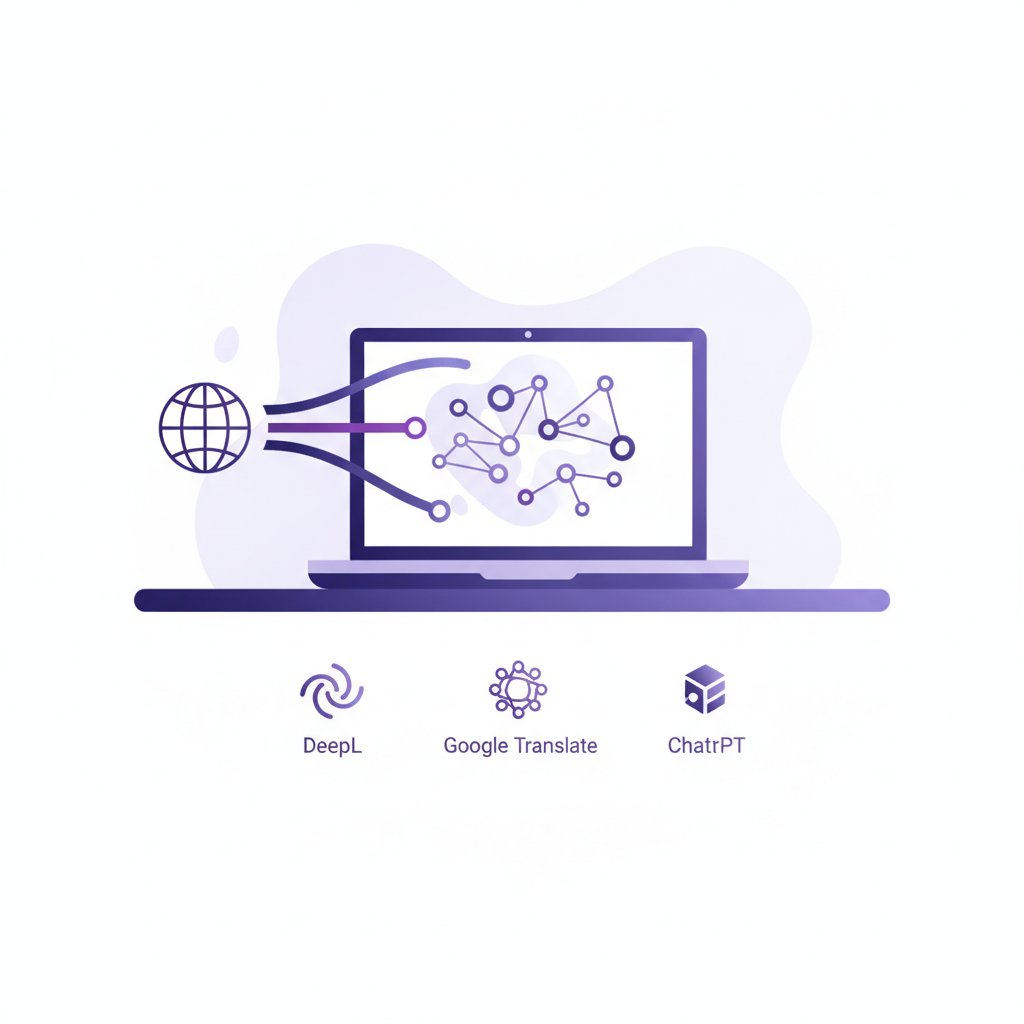
If you’re asking me which one is “the best,” my honest answer is that there isn’t one. Each tool has its sweet spot, and for a solo entrepreneur looking to maximize efficiency and quality, a blended approach is key. Think of them as different tools in your content creation toolkit:
- DeepL is your precision screwdriver: Use it when quality, natural flow, and nuance are paramount. It’s my default for blog post translation and professional communications.
- Google Translate is your power drill: It’s fast, widely available, and great for brute-force tasks like understanding foreign comments or generating initial caption drafts for many languages.
- ChatGPT (or other LLMs) is your Swiss Army knife: Use it for refinement, creative adaptation, brainstorming, and when you need highly customized output that goes beyond literal translation. It’s your personal content strategist and editor.
If I absolutely had to pick just one for pure translation quality, especially for major European and Asian languages, DeepL would narrowly win. But for sheer accessibility and breadth of language support, Google Translate is indispensable. And for truly adapting your message and making it resonate, ChatGPT is transformative. Use them together, and you’ll build a translation pipeline that truly scales your global reach.
FAQ
Can AI translation replace human translators?
No, not entirely. While AI tools are incredibly advanced and suitable for many content types (especially blogs, articles, and general communication), they still lack the deep cultural understanding, nuanced interpretation, and creative flair of a professional human translator. For high-stakes content like legal documents, highly sensitive marketing campaigns, or literary works, human translators remain superior due to their ability to understand subtle cultural contexts, implied meanings, and tailor content with perfect accuracy and resonance.
Which tool is best for translating YouTube captions?
For a broad, quick first pass, Google Translate’s built-in automatic caption translation is excellent for generating a starting point across many languages. However, for higher quality and more natural-sounding captions in key languages, I recommend taking your English script, translating it with DeepL, and then feeding that into ChatGPT for refinement and stylistic adjustments before uploading. This hybrid approach balances speed with quality.
How do I choose the right AI translation tool for my business?
Consider your primary needs:
- Languages: If you need many languages, Google Translate offers the broadest support. For fewer, major languages, DeepL often offers better quality.
- Content Type: For creative, marketing, or nuanced content, DeepL and ChatGPT are better for quality and adaptation. For factual, utilitarian content or quick understanding, Google Translate is fine.
- Volume & Speed: For high-volume, quick translations, Google Translate is faster. For high-volume, high-quality, consider DeepL’s paid tiers or API.
- Budget: Google Translate is free for basic use. DeepL and LLMs have free tiers but require paid plans for advanced features or higher usage.
- Workflow: Think about how you’ll integrate it. Simple copy-pasting, document uploads, or API integration for automation?
Often, a combination of tools, as I’ve described, provides the most robust solution for solo creators.