How to Build a Custom Notion AI Knowledge Base for Free
At a glance
- In shortExplains how to build a free AI knowledge base in Notion using standard databases and external models.
- Best forSolo creators and solopreneurs using Notion
- Tools coveredNotion, ChatGPT, Claude
- PricingFreemium
- Skill levelIntermediate
- Key pointsConsolidate context into a single Master Knowledge Hub database. · Use clear heading hierarchy and key-value pairs for easy AI reading. · Use free external models or automations to query your knowledge base.
- Heads-upKeep pages modular to avoid hitting context window limits with AI models.
The 2 AM Context Switching Trap
At 2 AM in my Seoul home office, I spent forty minutes hunting for a brand tone document I had written three weeks prior for one of my automated YouTube channels. I had fragments of it in Google Docs, saved prompts in ChatGPT chat logs, and channel specs scattered across local text files. I was losing hours every week doing manual retrieval across three blogs and two video channels.
You do not need a complex vector database or a paid enterprise search engine to solve this. If you already use Notion, you can build a centralized, custom AI knowledge base using Notion’s default structure combined with free external LLM workflows. Here is the exact notion ai knowledge base setup I used to consolidate my content operations without adding recurring software fees.

Understanding the Free Knowledge Base Architecture
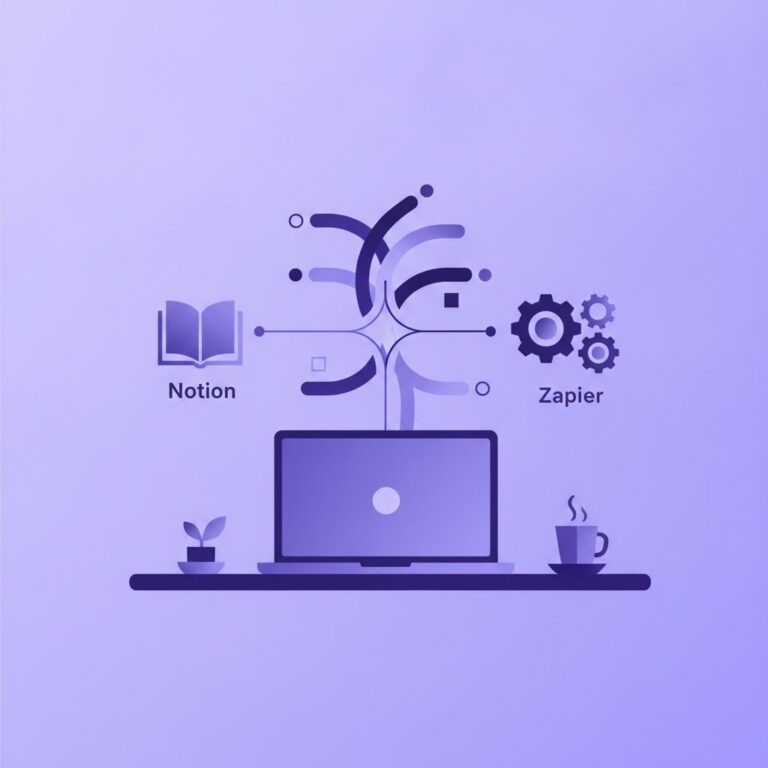
Before creating pages, you need to understand how AI context retrieval works inside Notion. Notion offers native AI features as a paid add-on, but you can build a structured, search-optimized knowledge engine on Notion’s standard free plan by combining clear database schemas with external models like ChatGPT or Claude.
A good knowledge base relies on predictable structure. If you throw unformatted raw text into a page, even native AI search tools struggle to pull precise answers. We design our knowledge system around three explicit database layers:
- Core Assets Database: Brand voice guidelines, target audience personas, affiliate link registries, and technical publishing checklists.
- Prompt Library Database: System prompts, editing chains, and custom scripting templates tagged by platform.
- Content Repository: Past blog articles, video scripts, and research summaries linked back to core assets.
Step-by-Step Notion AI Knowledge Base Setup
Step 1: Set Up the Master Metadata Schema
Create a single inline database in Notion called Master Knowledge Hub. Do not split your knowledge into dozens of separate pages. A single database with filtered views is significantly easier for both human navigation and AI indexing.
Add the following properties to your database:
- Name (Title): The exact topic or asset name (e.g., “SEO Blog Style Guide – Channel A”).
- Category (Select): Brand Voice, Prompts, Workflows, Technical Specs, Content Archive.
- Target Output (Multi-select): YouTube, Blog, Newsletter, Social.
- Status (Select): Active, Draft, Archived.
- Last Verified (Date): Helps you audit outdated context manually once a month.
Step 2: Format Pages for Context Retrieval
AI context engines rely heavily on heading hierarchy and explicit key-value pairs. When drafting a document inside your Notion knowledge base, avoid long, narrative paragraphs. Use short sections with clear H2 and H3 tags.
For instance, when documenting a brand voice for an AI blogging pipeline, format the page content like this:
### BRAND IDENTITY
Target Audience: Solo entrepreneurs and side-hustlers.
Tone: Direct, technical, pragmatic, transparent about failures.
### FORBIDDEN WORDS
- Game-changer
- Unlock
- Unleash
- Dive deep
When you copy this page block into ChatGPT or Claude, or query it through Notion AI, the model clearly reads structural rules without guessing intent.
Step 3: Connect External AI Tools for Free Querying
If you choose not to subscribe to Notion AI’s paid add-on, you can connect your database to free external models. Here are two ways I do this daily:
- Manual Context Injection: Keep your master prompts in Notion. Copy the structured brand context block directly into Claude or ChatGPT before pasting your drafting task. Because your Notion setup is structured with standard headers, copying takes three seconds.
- Browser Extension Indexing: Use free browser sidebars or AI extensions that can read the active browser tab. Open your Notion page in the browser, trigger your AI sidebar, and ask questions directly against the visible page content.
Step 4: Automate Ingestion with Free-Tier Tools
A knowledge base dies when manual updating becomes a chore. To keep your Notion base updated automatically, build simple connections using free tiers of automation platforms like Make, Zapier, or self-hosted n8n.
When I publish a new article on WordPress or finish a video script, an automation scenario creates a new entry in my Notion Master Knowledge Hub, tags it appropriately, and archives the final text. This ensures my reference database remains up to date without extra typing.
Comparing Knowledge Base Options for Solo Creators
Notion is not the only option, but for solo operators, balancing cost against setup friction is critical. Here is how standard Notion compares to alternative setups:
| System | Cost Tier | Best For |
|---|---|---|
| Standard Notion (Free) | Free tier available | Manual setup, external LLM copying |
| Notion + Native AI | Paid add-on per user | In-app Q&A, instant page drafting |
| Custom RAG (Python/Vector DB) | Free code / API costs | Developers needing massive document analysis |
Note: Software plans and API pricing change frequently. Always check the official pricing pages for tools like Notion, OpenAI, or Anthropic before building complex integrations.
Where This Setup Struggles (And What to Avoid)
I want to be completely realistic about the limitations of relying on Notion for AI workflows. It is far from perfect, and running into context limits can be frustrating.
First, context window limitations remain a challenge. If you paste a massive 50-page database page into an external AI interface, the model will drop earlier details. Keep your knowledge pages modular. Separate your “YouTube Script Guidelines” from your “SEO Content Checklist” rather than combining them into one mega-document.
Second, Notion’s search engine on the free tier relies on exact text matching unless you use native AI. If you rely on basic search, you must name your pages consistently. If you search for “Video Guidelines” but named your page “YouTube Rules,” you might struggle to locate your assets quickly during rapid content generation sessions.

My Take: Is the Native Notion AI Add-on Worth It?
When I started running multiple AI publishing channels, I insisted on keeping software expenses near zero. I used standard Notion database setups and manually copied prompt blocks into ChatGPT and Claude. It worked well and cost nothing extra.
However, as volume grew, the manual copy-pasting consumed roughly 20 to 30 minutes a day across my pipeline. Eventually, paying for a native AI workspace add-on—or utilizing API-driven automations—became worth the time saved.
My honest recommendation: Start with the free database structure detailed above. Build the habit of tagging assets, maintaining clear schemas, and cleaning out old drafts. Only consider upgrading to paid AI features once your published content is generating enough revenue to easily cover the monthly subscription fee.
FAQ
Is Notion AI completely free to use?
Notion offers a free tier for basic workspace features, but native Notion AI search and drafting functionality usually requires an add-on fee per member per month. Check Notion’s official pricing page for current rates and trial limits.
Can I connect Claude or ChatGPT to Notion for free?
Yes. You can use free web automation tiers (like Zapier or Make) to send content between Notion and OpenAI APIs, or simply copy structured markdown pages directly from Notion into ChatGPT or Claude chat windows for free context injection.
How do I prevent my AI knowledge base from becoming cluttered?
Audit your database monthly. Use a “Last Verified” date property in your Notion database schema, filter for pages older than 90 days, and archive or update information that no longer matches your current business workflows.
More on Prompting & Quality Control
- Fact-Checking AI ContentA framework for solo entrepreneurs to fact-check AI-generated content before publishing.
- AI Fact-Checking Guide for Solo CreatorsHow solo creators can combine prompt design, AI cross-referencing, and manual checks for accurate content.
- ChatGPT vs Claude for Content CreatorsCompares ChatGPT and Claude across writing, scriptwriting, and automation workflows.
See every Prompting & Quality Control post in our Guides & Tutorials guide.
Handy toolsAI tool ROI calculator · AI Tool Finder