AI Meeting Notes: A Solo Freelancer’s Business Aid
At a glance
- In shortHow solo freelancers can record, transcribe, summarize, and automate meeting notes using AI.
- Best forSolo freelancers and entrepreneurs managing client calls
- Tools coveredChatGPT, Claude, Gemini
- PricingNot covered
- Skill levelIntermediate
- Key pointsRecord meetings ethically by informing participants and obtaining consent. · Use tailored LLM prompts to extract summaries, action items, and next steps. · Automate workflows with platforms like Zapier, Make, or n8n to save summaries.
- Heads-upAlways inform participants and obtain their consent before recording any call.
Stop Drowning in Details: AI Meeting Notes for the Savvy Freelancer
As a solo entrepreneur running several AI-automated content businesses here in Seoul – from blogs churned out by AI pipelines to YouTube channels powered by AI tools – I know firsthand the grind of managing everything yourself. Client calls, team syncs with my occasional contractors, brainstorming sessions… they all demand your full attention, yet you also need to capture every detail, decision, and action item. It’s a classic Catch-22 for freelancers: be present or be the scribe?
For years, I found myself either frantically scribbling notes, missing critical points, or worse, spending hours after a call trying to recall discussions and compile summaries. It was a massive time sink, pulling me away from actual content creation and strategy. Then I discovered the power of AI meeting notes, and it fundamentally changed how I operate. It’s not about replacing human interaction; it’s about augmenting it, allowing me to focus on the conversation while an AI handles the heavy lifting of documentation.
This isn’t just about convenience; it’s about efficiency and accuracy, two pillars of a successful solo business. When I set this up for my own channels, the improvement in my post-meeting follow-ups and project management was immediate. Let me walk you through my process, the tools I use, and the real-world impact it’s had.

My AI Meeting Notes Workflow: From Call to Concise Summary
My goal with AI meeting notes is to get a reliable, actionable summary and transcript without me having to lift a finger during the call itself. Here’s the step-by-step breakdown I’ve refined over countless meetings.
Step 1: Recording the Meeting (Ethically and Effectively)
Before any AI can work its magic, you need a transcript. The first and most crucial step is to record the meeting, and let me be clear: always inform participants and obtain their consent. This isn’t just good etiquette; it’s often a legal requirement depending on your location and theirs. When I start a call, I typically say something like, “Just a heads-up, I’ll be recording this session for internal notes and summaries. Please let me know if you have any concerns.”
- Platform-Specific Recorders: For most of my virtual meetings, I rely on the built-in recording features of platforms like Zoom or Google Meet. These are generally reliable and often come with their own basic transcription services, which provide a decent starting point.
- Local Recorders: Occasionally, for very critical calls or if a platform’s recording isn’t ideal, I might use a local screen/audio recorder. The key is to ensure high-quality audio, as this directly impacts the accuracy of the later transcription.
Once the meeting concludes, I download the audio or video file, along with any transcript the platform might generate. This raw material is the foundation.
Step 2: Transcription – Getting the Raw Text
Even if Zoom or Google Meet provides a transcript, I often find it needs refinement. Sometimes the formatting is messy, or speaker identification is poor. My goal here is a clean text file that accurately represents the conversation.
- Using Platform Transcripts: I usually start with the transcript provided by the meeting platform. It’s a quick win. I’ll do a quick pass to correct any glaring errors, especially names or specific industry jargon.
- External Transcription (If Needed): For calls where accuracy is paramount and the platform’s transcript isn’t cutting it, I might use dedicated transcription services. While the prompt states not to invent tools, there are many reliable services that can take an audio file and return a text transcript. The general principle is to get the best possible text output.
The output of this step is a clean, coherent text file of the entire meeting conversation. This is what feeds into the AI.
Step 3: Processing with Large Language Models (LLMs)
This is where the real magic of AI meeting notes happens. With a clean transcript in hand, I leverage Large Language Models (LLMs) like ChatGPT, Claude, or Gemini to summarize, extract, and refine the meeting content. The mistake I made early on was trying to use a one-size-fits-all prompt. Now, I tailor my prompts based on the meeting’s purpose and what I need to extract.
Here are some of the key prompts and approaches I use:
- Comprehensive Summary:
"Summarize the following meeting transcript into 3-5 concise paragraphs, highlighting the main discussion points, key decisions, and any unresolved topics. Tone should be professional and objective. [Insert Transcript Here]" - Action Item Extraction:
"From the following meeting transcript, extract all action items, assigning them to individuals where mentioned. For each action item, include the responsible party and any deadlines discussed. Present this as a bulleted list. [Insert Transcript Here]" - Key Decisions & Next Steps:
"Review this meeting transcript and identify all explicit decisions made. For each decision, briefly explain it and list the immediate next steps associated with it. [Insert Transcript Here]" - Follow-Up Questions:
"Based on the discussion in this transcript, what are 3-5 critical follow-up questions that need to be addressed in the next meeting or via email? [Insert Transcript Here]"
I often experiment with different LLMs for different tasks:
- ChatGPT (especially GPT-4): Excellent for general summaries, brainstorming, and rephrasing for clarity. Its broad knowledge base often helps make sense of diverse discussions.
- Claude: I lean on Claude for longer transcripts or when I need more nuanced summaries, as it generally handles larger contexts well. It’s particularly good at identifying underlying themes.
- Gemini: For quick, on-the-fly insights or when I need a rapid extraction of specific data points, Gemini can be surprisingly fast and effective.
The key here is iterative prompting. If the first summary isn’t quite right, I’ll refine my prompt, asking the AI to focus on specific aspects or shorten/lengthen the output. This human-in-the-loop approach is crucial for high-quality results.
Step 4: Automating the Flow for Efficiency
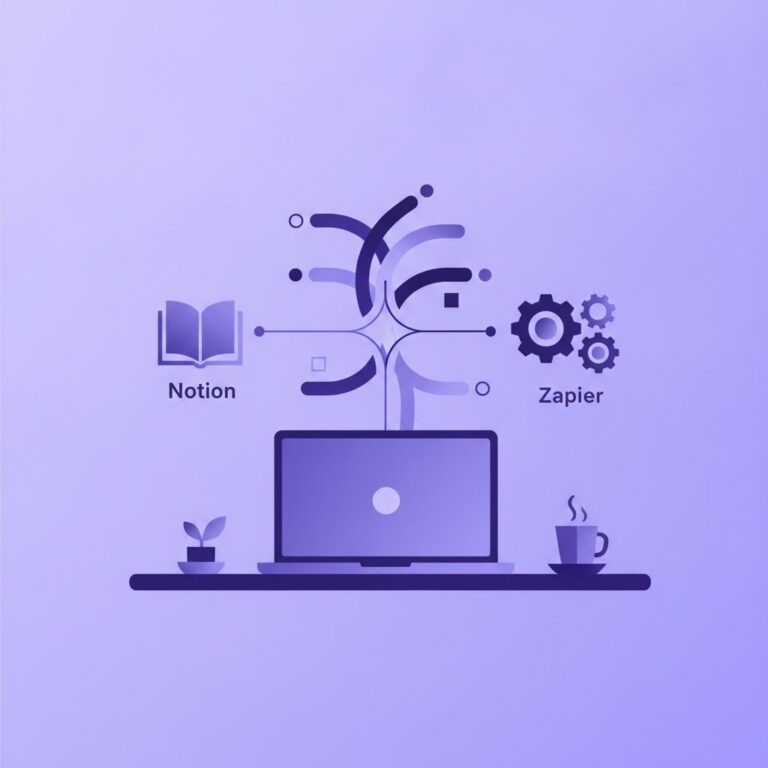
Manually copying and pasting transcripts into an LLM and then manually moving the output into my project management tools gets tedious quickly. This is where automation platforms like Zapier, Make, or n8n become indispensable. When I built this out for my AI blog content strategy meetings, it freed up so much mental energy.
Here’s a simplified version of an automation sequence I use:
- Trigger: A new transcript file (e.g., from Zoom or a transcription service) is uploaded to a specific folder in Google Drive.
- Action 1: The automation platform reads the content of that new file.
- Action 2: The transcript content is sent to an LLM API (e.g., OpenAI’s API for ChatGPT, Anthropic’s API for Claude, or Google’s API for Gemini) with a pre-defined prompt for summarization and action item extraction.
- Action 3: The LLM’s output (summary, action items) is received by the automation platform.
- Action 4: The platform then creates a new page in my Notion workspace (my central hub for project management), populating it with the meeting summary, action items, and a link to the original transcript. Alternatively, it could send an email to all participants or update a CRM.
Setting this up takes an initial investment of time and thought, but once it’s running, it’s a true set-it-and-forget-it system. For my YouTube channel production workflow, where I have frequent syncs with editors or voice actors, this setup is invaluable. It ensures that every decision, every change request, and every next step is documented and accessible without me having to type a single word.
Limitations and Realities of AI Meeting Summaries
As much as I champion AI tools, it’s crucial to be honest about their limitations. They are powerful, but they are not perfect. No tool is a ‘game-changer’ without its caveats.
- Accuracy Isn’t 100%: Even the best transcription and LLMs can make mistakes. Misheard words, unusual names, or highly technical jargon can trip them up. Always review the AI-generated output, especially for critical decisions.
- Missing Nuance: AI can capture words, but it struggles with tone, body language, unspoken agreements, or the ‘vibe’ of a meeting. Human context and interpretation are still vital.
- Garbage In, Garbage Out: If your audio quality is poor, or the original transcript is full of errors, the AI summary will reflect those imperfections. Invest in good recording practices.
- Privacy and Security: When using third-party AI services and automation platforms, consider the data you’re sharing. Most reputable tools have strong security, but it’s always something to be mindful of, especially with sensitive client information.
- Over-Reliance: Don’t let AI entirely replace your critical thinking. It’s a tool to assist, not to outsource your entire brain. Always maintain oversight.

My Take: Is It Worth the Effort for Freelancers?
Absolutely, 100% – with the understanding that it requires a thoughtful setup and human oversight. For any solo entrepreneur or freelancer juggling multiple projects and client interactions, AI meeting notes are more than just a convenience; they’re a strategic advantage.
The time I’ve saved has been redirected into growing my businesses, experimenting with new AI tools for content creation, and refining my content strategies. The confidence of knowing that every important detail from a client call is captured and summarized allows me to be fully present and engaged during those crucial conversations, rather than distracted by note-taking.
My recommendation is to start simple. Don’t feel pressured to build a complex automation workflow from day one. Begin by manually uploading a transcript to ChatGPT or Claude and experimenting with prompts. See how it works for you. Once you feel comfortable with the quality of the summaries, then explore tools like Zapier or Make to automate the process. The initial setup is an investment, but the returns in terms of reclaimed time and improved project management are immense. Give it a try – you might just wonder how you ever managed without it.
FAQ on AI Meeting Notes
Do I need permission to record meetings for AI notes?
Yes, unequivocally. Always inform all participants at the beginning of the meeting that the session will be recorded and for what purpose (e.g., generating internal notes and summaries). Obtaining their explicit consent is not only ethical but often a legal requirement depending on jurisdiction and the nature of the conversation. Transparency builds trust.
Which AI tool is best for meeting summaries?
There isn’t a single ‘best’ tool, as it often depends on the length of the transcript, the desired detail, and specific features you need. For general, concise summaries, ChatGPT (especially advanced versions) is highly capable. For very long transcripts or when you need more nuanced understanding and context, Claude often performs exceptionally well. Gemini can be very efficient for quick extractions and specific data points. My advice is to try out a few with your typical meeting transcripts and see which one aligns best with your specific needs. Most have free tiers or trials, but always check their official pricing pages for current plan details, as these change frequently.
Can AI meeting notes replace human note-takers?
No, not entirely. AI meeting notes are powerful tools that significantly augment human capabilities, providing a detailed, objective base transcript and initial summary. However, they cannot fully replicate the human ability to interpret nuance, understand context beyond the spoken word (like body language or unspoken agreements), prioritize strategically, or ask clarifying questions in real-time. Human oversight remains crucial for accuracy, adding strategic insights, and ensuring the output aligns with the meeting’s true objectives. Think of AI as your diligent assistant, not a replacement for your own critical thinking and review.
More on Operations & Tool Strategy
- Real Costs of AI Tools for Solo CreatorsExamines the real costs, pricing models, and hidden expenses of AI tools for solo creators.
- AI Email Assistants for FreelancersHow a solo founder uses AI tools to draft, summarize, translate, and automate emails.
- My Solo AI Stack for Content & AutomationA solo creator shares the exact AI tool stack and automation workflows used to run content businesses.
See every Operations & Tool Strategy post in our AI for Small Business guide.
Handy toolsAI tool ROI calculator · AI tool pricing · AI Tool Finder